Menu

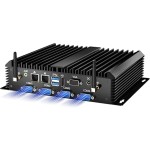
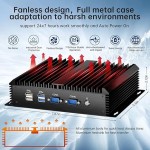
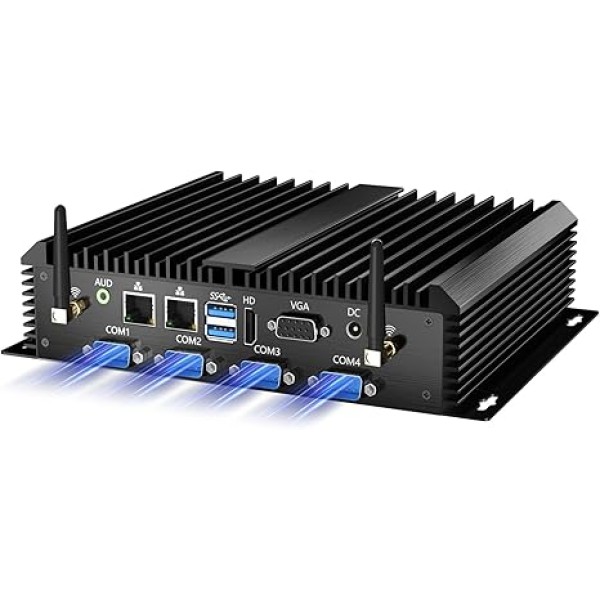
工业迷你电脑,台式无风扇电脑酷睿 i7-5500U 2.4-3.0GHz,Windows 10 Pro,16G 内存,512G 固态硬盘,双局域网,6xCOM RS232,4xUSB 3.0,HDMI/VGA 端口,自动开机 ,全金属 al Case

{{ product.price_format }}
{{ product.origin_price_format }}
Stock:
SKU:{{ product.sku }}
Model: {{ product.model }}
weight: {{ product.weight }} Kilogram

{{ variable.name }} : {{ variable.values[selectedVariantsIndex[variable_index]].name }}

{{ value.name }}

Quantity:

Computer specifications

RAM: 2 x DDR3 RAM slots, Supports up to 16GB.
SSD: 1 x MSATA SSD(Default Install), 1 x 2.5inch SATA SSD/HDD(Not included)
Integrated Graphics: HD Graphics 5500
Chipset: HasWell SOC
OS: Pre-installed Windows 10 pro(64 Bit). Support Linux.(Does not support XP, Direct installation of Windows 11 Pro is not supported.)
COM Port: 6 x COM RS232 ports, Connect various machines and equipment.
USB data transfer interface: 4 x USB 3.0, 2 x USB 2.0
Video ports: 1 x HDMI, 1 x VGA, Supports simultaneous connection of two monitors
Audio: Support computer speaker interface, MIC input interface, support 5.1 channel output
Network Interface: Dual Intel Gigabit network card, support 4G module (Requires additional purchase of a 4G module.)
Wireless network: Daul band wireless 2.4G/5G
Dimensions: 7.87 x 5.5 x 2.12 inches (200mm*140mm*54mm), 2.42lbs (1.1kg)
Power Supply Support 100-240V, DC in 12V/3A OR 12V/5A
Applicable temperature Operating Temperature: 0°C~50°C (32°F~122°F) Storage Temperature: -20°C~80°C (-68°F~176°F) Relative Humidity: 10%~90% (non-condensing)
Steps to set up Auto Power On Boot this mini pc and press "Delete" key or “ESC”key — Enter into "BIOS Interface" — Select "Chipset" in the interface — Select "PCH-Io Configuration" ——Select "Restore AC Power Loss” — Select "Power on”— Press “F10” key to save and exit.
How to find us? These are the steps to find the seller: "Log in Amazon" → "Your Account" → "Your orders" → "Ask Product Question." (You can also find us through the contact form pasted on your computer.)